


FAQ
Read our most frequently asked questions regarding individual products and categories within ruggedized electronic hardware
Frequently Asked Questions

移动电脑常见问题
移动电脑常见问题阅读我们的移动电脑常见问题中最常见的问题。如果您有其他问题,请随时联系 我们的聊天机器人或销售人员。 什么是移动电脑?移动计算机是一种便携式手持设备,在企业环境中用于运行移动应用程序、捕获条形码、拍摄照片和视频,并为工人和管理人员提供语音和数据通信。移动计算机有不同的外形尺寸,从智能手机式和平板设备到坚固耐用的工业级手持计算机,应有尽有。移动计算机一般具有哪些类型的功能?大多数移动计算机允许用户 运行软件应用程序 连接 Wi-Fi 和/或蜂窝网络 通过蓝牙连接外围设备 扫描条形码 拍摄照片或视频 传输语音和数据 其他特性和功能因具体设备而异。移动电脑的主要功能是什么?移动计算机的 “顶级 “功能因用户和应用而异。但移动计算机的核心功能就在它的名字中:它是一种移动设备,可以让您随时随地访问计算能力。移动电脑类似于迷你台式机或笔记本电脑–随身携带,随时随地。移动电脑几乎可以完成笔记本电脑和台式电脑的任何功能,有时甚至更多。例如,移动电脑可以扫描条形码,而台式机或笔记本电脑通常需要连接一个单独的外围设备才能扫描条形码。您认为移动计算机在哪个行业最受欢迎?在仓储、运输和物流以及零售这三个行业中,移动计算机长期以来在工作流程和工序中发挥着至关重要的作用。但移动计算机几乎广泛应用于所有行业,从制造业、医疗保健到能源行业,甚至在教育和政府工作中也有应用。为什么要选择移动计算机而不是条形码扫描仪或 RFID 阅读器?移动计算机通常是许多企业应用的最佳选择,因为它们是多功能设备,可以提供移动计算以及条形码扫描和 RFID 读写(取决于设备)。条形码扫描仪/模拟器和RFID 阅读器通常有两个主要功能–采集数据,然后将数据传输回主机设备。移动计算机可以轻松胜任这两项功能,因为它可以同时作为计算机、条形码扫描仪、RFID 阅读器、照相机和 GPS 设备使用,而且只需一个方便的手持设备,从而节省了时间和金钱。我如何知道自己需要移动计算机?我的应用需要哪些功能?如果您的企业的工作流程可以从移动访问软件和业务数据中获益,那么移动计算机通常是一个不错的选择。例如,您的员工可能需要访问以下数据 客户订单 库存编号 发货地址 订单执行能力 移动 ERP 系统 交货证明签名 现场检查信息 业务记录 业务图片和/或视频 维修数据 潜在的使用案例数不胜数,但如果您对移动计算机是否适合您的业务需求有疑问,请直接联系我们。我们可以帮助您评估各种选择,并决定是否应该使用移动计算机或其他解决方案。移动计算机能否提供 GPS 定位?可以。目前生产的几乎所有移动计算机都配备了 GPS 定位功能。移动计算机每天都在使用 GPS 功能来帮助跟踪交货、路线、工作流程、现场人员等。如何将数据从移动计算机导入/导出到个人计算机、联网个人计算机或智能手机?在移动计算机和其他设备之间导入或导出数据的最简单方法是使用 Wi-Fi 或蜂窝网络连接或蓝牙无线连接(如果有)。最常用的方法是使用软件应用程序将移动计算机连接到其他设备,此外,大多数型号的移动计算机还配备了微型 USB 或通信端口用于连接。使用移动计算机时,Wi-Fi 是否必须可用?不需要,只要您使用的设备支持蜂窝网络,使用移动电脑时就不需要 Wi-Fi 功能。有些移动计算机是仅支持 Wi-Fi 的设备,有些则同时具有
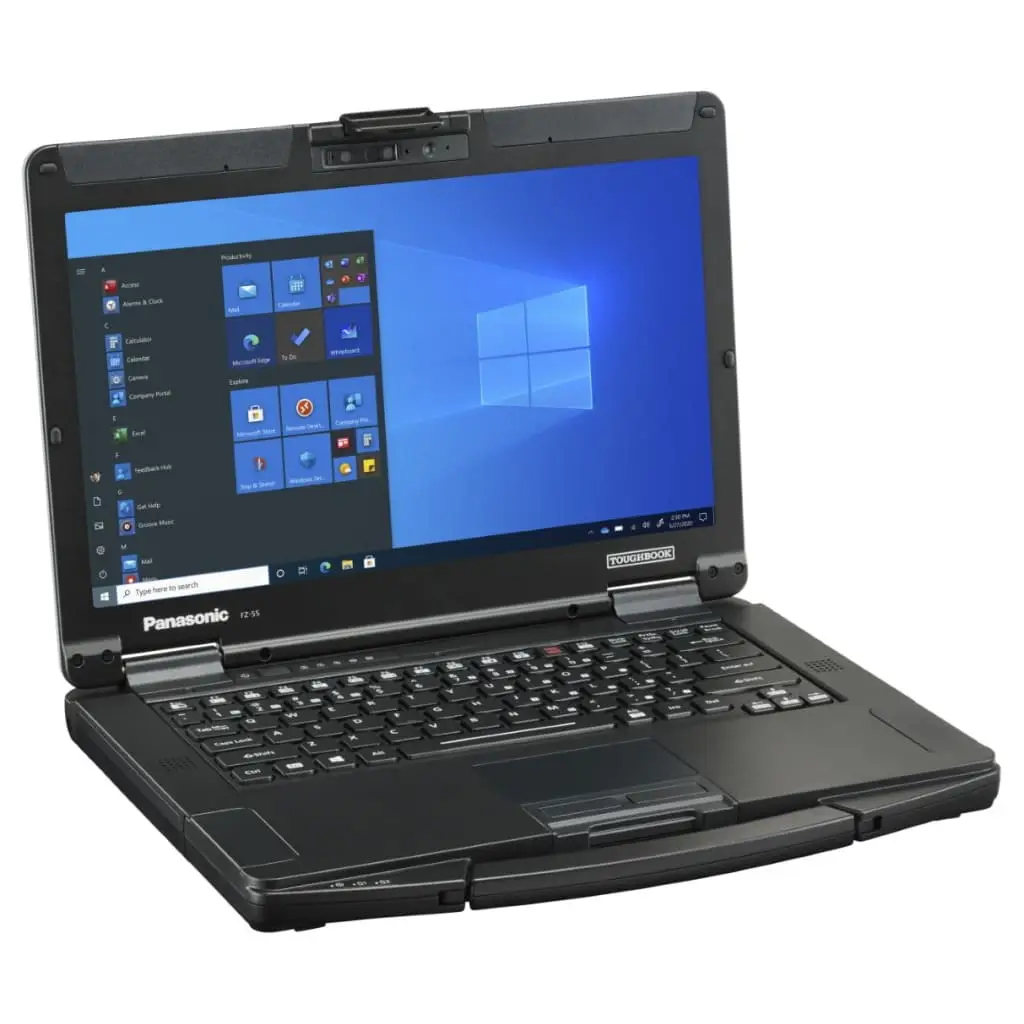
松下 Toughbook 55 常见问题
松下 Toughbook 55 常见问题阅读我们的Panasonic Toughpad FZ 55常见问题中最常见的问题。如果您有其他问题,请随时与我们的聊天机器人或销售人员联系。 什么是 TOUGHBOOK 55?TOUGHBOOK 55 是一款半堅固的 14 吋筆記簿型電腦,可承受嚴峻的環境,同時提供卓越的性能。 我可以拆下屏幕吗?不能,TOUGHBOOK 55是一款传统的蛤壳式笔记本电脑,屏幕不可拆卸。如需二合一可拆卸式笔记本电脑,请考虑TOUGHBOOK 33(12英寸全固态PC)或TOUGHBOOK 20(10.1英寸全固态PC)。 为什么开发 TOUGHBOOK 55?松下根据客户的反馈开发了TOUGHBOOK 55。通过了解客户的工作流程和要求,松下创造了一种设备来应对各种挑战,如需要更长的电池寿命、轻便设计、增强性能和面向未来。TOUGHBOOK 55 旨在满足专业人士在苛刻环境中不断变化的需求。 TOUGHBOOK 55的哪些部分可供用户升级?TOUGHBOOK 55允许用户升级内存(RAM)、存储(SSD)甚至键盘。存储驱动器有一个快速释放闩锁,便于拆卸。此外,还有三个用于定制的扩展区域,可容纳专用显卡、光驱、认证读卡器、额外的输入/输出接口、额外的电池和第二个存储驱动器等选项。这种定制功能可帮助企业确保其设备面向未来,简化订购流程,缩短交货时间,并最大限度地减少停机时间。 什么是扩展区、扩展包和 xPAK?扩展区域是指TOUGHBOOK 55的三个可定制的模块化部分。扩展包或 xPAK 是专为这些区域设计的附件。 我可以在购买笔记本电脑后再购买扩展包 (xPAK)吗?可以,xPAK可作为附件在购买时或购买后购买,而且用户可对其进行升级。 拆卸 xPAK 有多简单?是否需要特殊培训?xPAK 的设计便于插入和拆卸,大多数具有快速释放杆。用于后部扩展区和 AMD 专用显卡的 xPAK 只需一把螺丝刀和几颗螺丝即可安装,方便用户使用并可升级。 能否固定 xPAK 和固态硬盘以防止用户拆卸?可以,如果 IT 部门需要,可以使用螺丝锁定 xPAK 和主固态硬盘。松下提供了一个 SKU

松下 Toughbook 33 常见问题
松下 Toughbook 33 常见问题阅读我们的Panasonic Toughbook CF 33 常见问题中最常见的问题。如果您有其他问题,请随时与我们的聊天机器人或销售人员联系。 什么是 Toughbook 33?Toughbook 33 是一款完全坚固耐用的 12 英寸二合一 PC,专为满足苛刻的工作环境而设计,为需要笔记本电脑和平板电脑功能的用户提供多功能性。 二合一电脑、可转换电脑、360 电脑、可拆卸电脑、笔记本电脑和平板电脑的区别是什么? 二合一:包括可转换式、360 和可拆卸式,兼具笔记本电脑和平板电脑的功能。 可转换式:这些产品的显示屏可以左右旋转,从笔记本电脑模式切换到平板电脑模式,键盘始终连接在一起。 360s:这类设备的显示屏可向后折叠,在笔记本电脑和平板电脑模式之间转换,并附带键盘。 可拆卸式:这类笔记本电脑的键盘可拆卸,用户可选择只携带平板电脑,实现轻巧便携。 笔记本电脑:这类设备只能以蛤壳模式打开,配有固定键盘。 平板电脑:这类平板电脑没有实体键盘,只能依靠软件键盘或非集成的可选键盘配件。 Toughbook 33 是否取代现有的 Toughbook 产品?不,Toughbook 33 是 Toughbook 系列的新成员,将与 Toughbook 31 和 Toughbook 20 一起销售。 为什么开发 Toughbook 33?Panasonic 推出 Toughbook 33 是为了响应客户的反馈意见,他们希望有一个像 Toughbook 20 一样的大屏幕平板电脑,同时还能保持与现有车载底座的兼容性。这款新产品满足了在恶劣环境中工作的专业人士的需求。

松下 Toughbook 20 常见问题
松下 Toughbook 20 常见问题请阅读Panasonic Toughbook 20常见问题中最常见的问题。如果您有其他问题,请随时与我们的聊天机器人或销售人员联系。 什么是可拆卸笔记本电脑?可拆卸笔记本电脑具有可拆卸键盘,允许用户在笔记本电脑和平板电脑模式之间切换。当不需要键盘时,用户可以拆下键盘,只携带平板电脑,从而大大减轻重量和体积。 二合一电脑、可转换电脑、360 电脑、可拆卸电脑、笔记本电脑和平板电脑有何不同?二合一个人电脑包括几种类型: 可转换式:这类电脑的显示屏可左右旋转,可从笔记本电脑切换到平板电脑模式,同时保持键盘连接。 360s:这种电脑的显示屏向后折叠,可从笔记本电脑转换为平板电脑。 可拆卸式:这种笔记本可将键盘完全拆卸下来,从而可携带轻便的平板电脑。 与可拆卸式笔记本电脑不同,标准笔记本电脑只能以翻盖模式打开。平板电脑通常没有实体键盘,只提供软件键盘或可选键盘配件。可拆卸式笔记本电脑设计为平板电脑和键盘的一体化单元。 键盘底座、键盘盖和键盘底座之间有什么区别? 键盘底座:包括端口和/或独立电池,可扩展笔记本电脑的功能。 键盘套和底座:缺少端口和电池。 TOUGHBOOK 20是否附带键盘底座,还是需要单独购买?TOUGHBOOK 20包含平板电脑和键盘底座,因此无需单独购买底座。 我可以只购买平板电脑而不购买键盘底座吗?不能,平板电脑不能单独购买。 是否可以购买额外的键盘基座?可以,您可以购买额外的键盘底座,以提高便利性,尤其是当您想在一台平板电脑上使用多个键盘时。 键盘基座与平板电脑分离后还能使用吗?不能,键盘底座不能单独使用。但是,如果键盘基座带有可选的第二块电池附件,则可以在插入电源插座时充电。 我需要将键盘基座与平板电脑配对吗?不需要配对。只需将平板电脑连接到键盘基座,它们就能立即相互识别。这种物理连接消除了蓝牙键盘的连接问题和电池消耗。 TOUGHBOOK 20有防止键盘基座意外分离的装置吗?是的,键盘基座配有一个锁,可防止意外脱落。 平板电脑和键盘基座上都有 Kensington 锁槽吗?是的,平板电脑和键盘基座上都有 Kensington 锁插槽。平板电脑的锁槽可同时固定平板电脑和键盘基座。 TOUGHBOOK 20有风扇吗?没有,TOUGHBOOK 20没有风扇,因此更安静、更易于消毒,同时消除了其他个人电脑风扇破损的风险。 TOUGHBOOK 20 有手写笔和系绳吗?是的,设备随附触控笔和系绳。 背光键盘是否可调?是的,除 “关闭 “设置外,背光键盘还提供四级亮度调节。 戴手套时可以使用触摸屏吗?可以,触摸屏可以戴手套使用。松下为手套使用提供了特殊的设置,不像普通的电容式显示屏不能戴手套使用。 TOUGHBOOK 20 可以在雨中使用吗?可以,TOUGHBOOK 20 采用 IP65 全天候设计,可以在雨中使用。它的显示屏具有特殊的雨天模式,不像普通电容式显示屏在潮湿环境下无法正常工作。 TOUGHBOOK 20 有哪些电池可供选择?TOUGHBOOK

松下 Toughpad FZ-M1
松下 Toughpad FZ-M1阅读我们的 Panasonic Toughpad FZ-M1 常见问题中最常见的问题。如果您有其他问题,请随时与我们的聊天机器人或销售人员联系。 Toughpad FZ-M1 是为谁设计的?Toughpad FZ-M1 专为需要轻便、坚固耐用的 Windows 平板电脑的移动专业人士而设计,其性能与完整的 PC 无异。它是客户服务、库存和资产管理、维护、电子表格、路线交付、电子引用、电子病历、检查、移动销售点和地理信息系统 (GIS) 等领域的理想之选。 Toughpad FZ-M1 的主要功能是什么?Toughpad FZ-M1 是唯一一款使用第四代英特尔酷睿 i5 vPro 处理器并运行 Windows 8.1 的耐用型 7 英寸企业平板电脑。这使它能够操作大多数桌面应用程序,而无需昂贵的定制软件。它完全坚固耐用,但又轻巧纤薄,非常适合野外工作。Toughpad FZ-M1 可以通过条形码阅读器、RFID、磁条阅读器、智能卡阅读器、以太网或串行端口等选件进行定制。 为什么 Toughpad FZ-M1 适合企业和政府使用?与许多消费类设备不同,Toughpad FZ-M1 可与现有的 IT 基础设施顺利集成,便于部署和支持。它为企业提供了更好的生命周期管理,降低了总体拥有成本,节省了时间和资源。它的可靠性和耐用性,加上日光可视屏幕和先进的电池技术等功能,确保了更高的生产率和更好的投资回报。 Toughpad FZ-M1 能否取代台式电脑?Toughpad FZ-M1 与台式机座和外接显示器结合使用时,是台式机的绝佳替代品。它配备了第四代英特尔酷睿 i5 vPro 处理器和 Windows
The Toughpad FZ-M1 is crafted for mobile professionals who need a lightweight, rugged Windows tablet that performs like a full PC. It’s perfect for roles in customer service, inventory and asset management, maintenance, eForms, route delivery, eCitations, electronic medical records, inspections, mobile point-of-sales, and geographic information systems (GIS).
The Toughpad FZ-M1 is the only rugged 7-inch enterprise tablet that uses a 4th generation Intel Core i5 vPro processor and runs Windows 8.1. This allows it to operate most desktop applications without needing costly custom software. It is fully rugged, yet thin and lightweight, making it ideal for fieldwork. The Toughpad FZ-M1 can be customized with options like barcode readers, RFID, magnetic strip readers, SmartCard readers, Ethernet or serial ports, and more.
Unlike many consumer devices, the Toughpad FZ-M1 integrates smoothly with existing IT infrastructures, facilitating deployment and support. It offers organizations improved lifecycle management, reducing total cost of ownership and conserving time and resources. Its reliability and durability, combined with features like daylight-viewable screens and advanced battery technology, ensure higher productivity and a better return on investment.
When combined with a desktop cradle and external monitor, the Toughpad FZ-M1 is an excellent desktop replacement. It is equipped with a 4th generation Intel Core i5 vPro processor and Windows 8.1, enabling it to run the same applications as a Windows 8.1 desktop, functioning much like a PC.
The Toughpad FZ-M1 uses the Intel Core i5 processor (i5-4302Y vPro), the industry’s first 4.5-watt CPU in a tablet, offering exceptional processing power with lower energy consumption. This results in cooler operation, eliminating the need for a fan, and extending battery life. Its fanless design meets IP65 standards for rain and dust resistance.
The Toughpad FZ-M1 runs on Windows 8.1 Pro, the latest Windows version for enterprises. Panasonic recommends Windows 8.1 for small-screen devices. An option to downgrade to Windows 7 Professional is available, though Windows 8.1 offers enhanced navigation and functionality. It supports all legacy applications and features both the classic desktop and Metro interfaces for easy touch navigation.
In addition to Windows 8.1 built-in apps, over 100,000 applications are available in the Windows Store, with new additions daily. Visit Windows Store to explore apps. Panasonic also collaborates with partners to create enterprise-grade apps for specific markets. Contact your Panasonic representative for details.
Powered by the 4th generation Intel Core i5 vPro processor, the Toughpad FZ-M1 can run most enterprise applications designed for Windows 8.1. Some customization may be necessary for optimal navigation.
Any Windows 8.1 application works on the Toughpad FZ-M1 without needing porting. Panasonic provides a Software Developers Kit (SDK) for creating custom apps using the barcode reader and other peripherals. Contact your Panasonic representative for more details.
The Toughpad FZ-M1 offers various configuration options, allowing organizations to customize it for their workforce. Options include 4G LTE multi-carrier wireless broadband, GPS, barcode reader, Ethernet or serial port, and choices like NFC, SmartCard reader, UHF RFID (up to 10 ft. range), or magnetic stripe reader. An optional stylus is available for tasks like signature capture.
Yes, the Toughpad FZ-M1 is the first rugged 7-inch tablet with 4G LTE multi-carrier wireless broadband connectivity. IT administrators can switch carriers via software to select the best 4G LTE provider—such as Verizon, AT&T, and Sprint—for any area.
The standard Toughpad FZ-M1 configuration includes Intel Dual Band Wireless-AC7260 Wi-Fi 802.11 a/b/g/n/ac, Bluetooth v4.0 (Class 1), USB 3.0, micro SDXC card slot, and a docking connector.
The Toughpad FZ-M1 features a user-replaceable battery providing 8 hours of uninterrupted work, with quick-charging technology reaching full capacity in 2.5 hours. An optional high-capacity battery offers 16 hours of power, and a bridge battery allows for battery swaps without shutting down the device, enabling continuous use.
Battery life is measured using the MobileMark standard. Details about MobileMark 2007 are available at BABCO.
The Toughpad FZ-M1’s fully rugged design meets MIL-STD-810G specifications for drops (up to 5 feet), shock, vibration, altitude, humidity, and extreme temperatures. Its sealed design is IP65 tested against particulates and water. It is also submitted for ANSI 12.12.1 certification for use in incendiary environments.
MIL-STD-810G is a military standard ensuring products meet mission-critical ruggedness and reliability levels. Panasonic tests its rugged mobile computers, including the Toughpad FZ-M1, to exceed these standards. Each unit undergoes over 500 checks during manufacturing. Panasonic shares third-party test results and failure statistics publicly. This certification is crucial for government and enterprise clients, as consumer devices with rugged cases don’t offer the same protection against common deployment conditions.
Enterprise and government tablets are designed to lower total ownership costs by reducing deployment and service expenses over longer product cycles. Products like the Toughpad FZ-M1 offer extended support, making accessories and software more cost-effective. Factors like aging, product lifecycle management, and accessories contribute to lower ownership costs.
Panasonic offers a range of enterprise-grade accessories for the Toughpad FZ-M1, including cases, mounts, printers, keyboards, and multi-unit storage and charging solutions. Accessories are designed for enterprise and government use, and certified by Panasonic to meet Toughpad’s durability standards, ensuring they last as long as the tablet itself.
A detachable laptop features a removable keyboard, allowing users to switch between laptop and tablet modes. When a keyboard is unnecessary, users can detach it and carry just the tablet, significantly reducing weight and bulk.
2-in-1 PCs include several types:
- Convertibles: These have displays that swivel left and right, enabling a switch from laptop to tablet mode while keeping the keyboard attached.
- 360s: These feature displays that fold backward to convert from a laptop to a tablet.
- Detachables: These allow the keyboard to be removed completely, providing the option of carrying a lightweight tablet.
Unlike detachable laptops, standard laptops open only in clamshell mode. Tablets typically do not have physical keyboards and offer only software keyboards or optional keyboard accessories. Detachable laptops are designed as cohesive units with both a tablet and keyboard.
- Keyboard Docks: Include ports and/or a separate battery, extending the laptop’s functionality.
- Keyboard Covers and Bases: Lack ports and batteries.
The TOUGHBOOK 20 comes with both the tablet and the keyboard dock, so there is no need to purchase the dock separately.
No, the tablet is not available for purchase separately.
Yes, you can purchase additional keyboard docks to enhance convenience, especially if you want multiple keyboards for one tablet.
No, the keyboard dock cannot be used independently. However, if it has the optional second battery accessory, it will charge when plugged into an outlet.
No pairing is required. Simply attach the tablet to the keyboard dock, and they will instantly recognize each other. This physical connection eliminates the connectivity issues and battery drain associated with Bluetooth® keyboards.
Yes, the keyboard dock is equipped with a lock to prevent it from accidentally falling off.
Yes, both the tablet and keyboard dock have Kensington lock slots. The tablet’s lock slot secures both the tablet and keyboard dock.
No, the TOUGHBOOK 20 is fanless, making it quieter and easier to sanitize while eliminating the risk of fan breakage found in other PCs.
Yes, a stylus and tether are included with the device.
Yes, the backlit keyboard offers four levels of brightness, in addition to an “off” setting.
Yes, the touchscreen can be used with gloves. Panasonic provides a special setting for glove use, unlike normal capacitive displays that do not work with gloves.
Yes, with its IP65 all-weather design, the TOUGHBOOK 20 can be used in the rain. It features a special rain mode for its display, unlike normal capacitive displays that don’t function well in wet conditions.
The TOUGHBOOK 20 includes an integrated bridge battery and offers an optional second battery accessory for the keyboard. The optional battery doubles the device’s battery life and matches the standard tablet battery.
The bridge battery provides users with a minute to hot-swap the tablet battery without needing to shut down or suspend the device.
The Always-on USB port allows peripherals, like phones, to charge even when the TOUGHBOOK 20 is powered off. The USB port labeled “SS CHG” on the tablet supports this feature, which can be disabled to maximize battery life.
The USB rapid charging feature uses a special 1.5A USB port to charge compatible peripherals more quickly. The “SS CHG” labeled USB port on the tablet supports this functionality. Users can also disable this feature if desired.
The TOUGHBOOK 20 can be configured to automatically power on when connected to an external power source, such as an electrical outlet.
The A1 and A2 buttons are user-definable for customizable functionality. By default, A1 opens the Panasonic dashboard utility, while A2 allows users to configure the functions of both buttons, such as opening programs or adjusting brightness.
If the TOUGHBOOK 20 includes an optional serial port, a second USB, or a Magstripe reader (all on the tablet portion), it will require a tall bottom panel.
While TOUGHBOOK 20 units with a tall bottom panel can still be used with the desktop and vehicle dock accessories, they cannot be used in convertible mode (with the tablet removed and flipped).
The TOUGHBOOK 19 is a convertible laptop with an attached keyboard, whereas the TOUGHBOOK 20 is a detachable PC with a removable keyboard dock, offering both laptop and tablet functionality.
The TOUGHBOOK 20 features keys that are 16% larger than those on the TOUGHBOOK 19, facilitating faster and more natural typing with fewer errors.
The Toughbook 33 is a fully rugged 12-inch 2-in-1 PC, designed to meet demanding work environments and provide versatility for users needing both laptop and tablet functionality.
- 2-in-1s: These include convertibles, 360s, and detachables, offering a combination of laptop and tablet features.
- Convertibles: These have displays that swivel left and right to switch from laptop to tablet mode, with the keyboard always attached.
- 360s: These devices have displays that fold backward to transition between laptop and tablet modes, with attached keyboards.
- Detachables: These laptops have removable keyboards, allowing users the option of carrying just the tablet for lightweight portability.
- Laptops: These open only in clamshell mode, with fixed keyboards.
- Tablets: These do not include physical keyboards, relying on software keyboards or optional keyboard accessories that are not integrated.
No, the Toughbook 33 is a new addition to the Toughbook lineup and will be sold alongside the Toughbook 31 and Toughbook 20.
Panasonic created the Toughbook 33 in response to customer feedback expressing a desire for a larger screen tablet like the Toughbook 20, while also maintaining compatibility with existing vehicle docks. This new product meets the needs of professionals working in tough environments.
The 3:2 aspect ratio is the ratio of a screen’s width to its height. The Toughbook 33 is the first fully rugged device to feature this display ratio. Panasonic selected this aspect ratio to make the tablet easier to handle and improve the viewing experience for business applications, such as Computer Aided Dispatch (CAD) for law enforcement. Additional benefits of a 3:2 aspect ratio over widescreen include reduced vertical scrolling, a resemblance to the size of an 8.5 x 11 paper, and minimized interference with airbag zones for enhanced safety.
The Toughbook 33 is equipped with 7th Gen Intel® Core™ i5 and i7 processors and runs Windows 10 Pro for high performance. To support customers transitioning to Windows 10, the Toughbook 33 is also offered with a Windows 7 Professional downgrade option, powered by 6th Gen Intel Core i5 and i7 processors, ensuring compatibility with existing deployments.
- 6th Gen Intel processors: These models include TPM 1.2 by default (with support for TPM 2.0), a webcam, and a rear camera that functions only with Windows 10.
- 7th Gen Intel processors: These models feature TPM 2.0, an infrared webcam that supports Microsoft Hello, and a rear camera compatible with Windows 10 Pro and Windows 7 Professional downgrade.
Yes, Intel i7 processors are available by special order. Please contact us for more information.
Microsoft Hello, in combination with the Toughbook 33’s infrared webcam, enables 3D facial recognition, iris scanning, or fingerprint scanning (if equipped with a fingerprint reader) for secure user authentication.
There is no theoretical maximum, but up to 99 users have been tested. Each user needs to set up their own account, allowing multiple users to have individual accounts.
Yes, LTE-Advanced uses carrier aggregation to combine multiple wireless frequencies, providing faster speeds. Verizon claims a 50% increase in peak speeds, benefiting users with data-intensive applications the most.
- Premium Keyboard: Offers greater functionality, versatility, and ruggedness, with additional features like a handle, adjustable angle, reverse docking into convertible mode, I/O ports, Fn keys, and a Kensington lock. It is compatible with the Toughbook 33 laptop vehicle dock and desktop dock.
- Lite Keyboard: Lighter and more affordable, compatible with the VDA, and includes a tactical red backlight.
Yes, both keyboards feature a tactical red backlight with four levels of brightness, including off. Red lighting helps preserve night vision and is commonly used in law enforcement, military, and other tactical settings.
No pairing is necessary. Attach the tablet to either keyboard, and they will be instantly recognized. The physical docking connection ensures reliable communication without the issues associated with Bluetooth® keyboards, such as spotty connections or battery drain.
Yes, both keyboards have a lever to secure them in place.
Yes, both keyboards offer the option to permanently lock the tablet to the keyboard, and the Lite Keyboard can also be locked to the 31 VDA.
The Premium Keyboard and tablet include Kensington lock slots, while the Lite Keyboard does not. The tablet’s lock slot secures both the tablet and keyboard dock.
Only the Lite Keyboard can be used independently with a USB Type B to C cable (sold separately). This design allows users to remove the Lite Keyboard from the VDA while the tablet and VDA remain mounted, offering ergonomic typing in the user’s lap and reducing fatigue.
The Toughbook 33 offers two vehicle dock options for new deployments:
- Tablet vehicle dock
- 2-in-1 vehicle dock: Utilizes the Premium Keyboard and can be mounted in either laptop or convertible mode.
For customers with existing Toughbook 31 vehicle docks, Panasonic provides a 31 Vehicle Dock Adapter (VDA) with a removable Lite Keyboard, protecting prior investments by allowing the use of existing docks.
The desktop dock utilizes both the Premium Keyboard and tablet. While there is no standalone desktop cradle for the tablet, the Premium Keyboard serves as a desktop dock solution with a Kensington lock and various I/O ports, including 1 HDMI, 1 VGA, 4 USB, 1 SDXC, 1 Ethernet, and 1 serial port.
No, you can use the display with gloves. Unlike typical capacitive displays, the Toughbook 33 includes a special setting for glove use.
Yes, it is IP65 certified, and the display features a rain mode, allowing it to be used in wet conditions.
Yes, the batteries are user-removable with no training required. Simply open the battery panel to access them.
Yes, the SSD can be removed, though it is more involved than removing the batteries, as screws must be taken out to access it. Only trained technicians or those with a purchased SSD no-return service SKU through Panasonic should attempt this. Please contact a Panasonic representative for program details.
MobileMark 2014 uses a stricter battery test standard than MobileMark 2007, testing brightness at 150 nits instead of 60 nits, for example. The Toughbook 33 is the first Toughbook product to utilize this new standard, while other Panasonic models currently use MobileMark 2007.
The Toughbook 33 comes with two standard batteries, either the lightweight twin batteries or the optional long-life batteries that double battery life. Its design allows for hot-swapping of either configuration.
A hot-swappable battery lets users replace one of the two batteries in the device without needing to shut down or suspend the tablet. The Toughbook 33 includes two identical batteries that fit in either the left or right battery slot.
An optional long-life battery configuration is available, doubling the battery life while retaining the hot-swapping capability. These long-life batteries must be integrated at purchase or retrofitted by Panasonic, as they require a different bottom panel. Long-life batteries add 0.4 inches in height and 0.8 pounds and are incompatible with convertible mode or the 33 Tablet Vehicle Dock when using the Panasonic rotating hand strap.
Only the long-life battery requires the tall bottom panel. All other options are flush, allowing the tablet to be mounted forward or reverse into the Premium Keyboard.
Yes, it includes a digitizer stylus pen and tether, along with a stylus pen holder on the tablet.
Both the Toughbook 20 and Toughbook 33 are 2-in-1 laptops, offering versatility between laptop and tablet modes.
The Toughbook 31 is a clamshell laptop, while the Toughbook 33 is a 2-in-1, providing clamshell and tablet functionality. For users who prefer not to separate the tablet, it can be permanently locked to the keyboard using a special locking screw.
- Tablet and Premium Keyboard: 12.3″ (L) x 11.4″ (W) x 1.8″ (H), weighing 6.1 pounds
- Tablet and Lite Keyboard: 12.1″ (L) x 9.6″ (W) x 1.5″ (H), weighing 4.8 pounds
- Tablet only: 12.1″ (L) x 9.6″ (W) x 0.9″ (H), weighing 3.4 pounds
Yes, the tablet is available for purchase separately.
Keyboards can be ordered separately, but the Toughbook 33 can also be bundled with either the Premium Keyboard or Lite Keyboard. Additionally, the Lite Keyboard can be purchased bundled with the 31 Vehicle Dock Adapter (VDA).
The TOUGHBOOK 55 is a semi-rugged 14-inch laptop designed to withstand challenging environments while delivering exceptional performance.
No, the TOUGHBOOK 55 is a traditional clamshell laptop with a non-detachable screen. For a 2-in-1 detachable option, consider the TOUGHBOOK 33 (12-inch fully rugged PC) or the TOUGHBOOK 20 (10.1-inch fully rugged PC).
Panasonic developed the TOUGHBOOK 55 in response to customer feedback. By understanding customers’ workflows and requirements, Panasonic created a device that addresses challenges such as the need for longer battery life, lightweight design, enhanced performance, and future-proofing. The TOUGHBOOK 55 aims to meet the evolving needs of professionals in demanding environments.
The TOUGHBOOK 55 allows users to upgrade the memory (RAM), storage (SSD), and even the keyboard. The storage drive features a quick-release latch for easy removal. Additionally, there are three expansion areas for customization, accommodating options such as dedicated graphics, optical drives, authentication readers, additional I/O, extra batteries, and a second storage drive. This customization helps companies future-proof their devices, simplify ordering, shorten lead times, and minimize downtime.
Expansion areas refer to the three modular sections of the TOUGHBOOK 55 that can be customized. Expansion packs, or xPAKs, are the accessories designed to fit into these areas.
Yes, xPAKs can be purchased as accessories either at the time of purchase or afterward, and they are user-upgradeable.
xPAKs are designed for easy insertion and removal, with most featuring a quick-release lever. The xPAKs for the Rear Expansion Area and the AMD Dedicated Graphics require only a screwdriver and a few screws for installation, making them user-friendly and upgradeable.
Yes, the xPAKs and the main SSD can be locked using screws if desired by IT departments. Panasonic offers a SKU (FZ-VSW551U) containing nine interchangeable screws (in silver and black) to lock down expansion areas and replace screws in the keyboard, AMD Dedicated Graphic xPAK, and Rear xPAKs.
This SKU includes nine interchangeable screws (a mix of silver and black) for securing expansion areas and replacing screws in the keyboard, AMD Dedicated Graphic xPAK, and Rear xPAKs.
Yes, the SSD is end-user removable with a quick-release lever for easy detachment. For added security, IT departments can purchase an optional locking screw to secure the battery. A set of nine screws is included in SKU # FZ-VSW551U.
Yes, the batteries are end-user removable and feature a quick-release lever for easy detachment.
The TOUGHBOOK 55 offers up to 20 hours of battery life, extendable to 40 hours with an optional second battery. Battery life is tested using the industry-standard MobileMark 2014, which models productivity usage such as word processing, spreadsheet work, email management, and web browsing with Wi-Fi connectivity. The test uses a screen brightness of 150 nits without cellular connectivity.
The TOUGHBOOK 55 comes with one standard battery on the left side, offering up to 20 hours of battery life (MobileMark 2014). An optional second battery on the right side doubles the battery life to 40 hours. The second battery enables hot-swapping, and both batteries are identical with the same SKU.
A hot-swappable battery allows users to replace one of the two batteries (the second battery is optional) without shutting down or suspending the laptop. Both batteries are identical and can be used in either the left or right slot.
The TOUGHBOOK 55 is the thinnest and lightest in its class, featuring the latest technology and performance enhancements:
- Latest Intel® 8th Gen quad-core i5 and i7 vPro™ processors
- Optional 1000 nit touchscreen for easy readability in direct sunlight
- Optional AMD dedicated graphics
- Up to 64GB of RAM and 2TB of storage
- RAID-1 mirroring for data redundancy (with an optional second storage drive)
- Tetra-array microphones for superior speech recognition accuracy
- Infrared webcam with facial recognition support via Windows Hello and a privacy cover
- Enhanced speakers, faster Wi-Fi and Bluetooth®, improved keyboard, and HDMI 2.0 port supporting HDR and 60 FPS on a 4K monitor
Intel’s 8th Gen processors include Kaby Lake Refresh and Whiskey Lake. Whiskey Lake processors offer improved performance and are newer than Kaby Lake Refresh. Kaby Lake Refresh processors end in “0,” while Whiskey Lake processors end in “5.”
Intel vPro™ technology is essential for businesses, enabling remote IT management and adding security features, including Intel® Hardware Shield.
The TOUGHBOOK 55 includes state-of-the-art security features:
- TPM 2.0
- NIST BIOS
- Intel vPro™ with Intel Hardware Shield
- Absolute Persistence® technology embedded in the BIOS
- Support for up to 256-bit AES Wi-Fi encryption
- Optional OPAL encrypted drives
- Optional insertable, contactless SmartCard CAC and fingerprint readers for 2FA
- Infrared webcam with Windows Hello for facial recognition
- Dual storage drive support with RAID-1 mirroring for data redundancy
- Improved heat dissipation and cooling
- TOUGHBOOK Smart Battery Technology for extended battery life and enhanced safety
RAID-1 mirroring allows data to be automatically saved to two storage drives simultaneously, providing a convenient backup solution. The TOUGHBOOK 55 supports RAID-1 mirroring with an optional second storage drive and a special BIOS.
The TOUGHBOOK 55 features four microphones for improved speech recognition accuracy, offering up to 3x the accuracy in noisy environments compared to the TOUGHBOOK 54.
The TOUGHBOOK 55 features four microphones for improved speech recognition accuracy, offering up to 3x the accuracy in noisy environments compared to the TOUGHBOOK 54.
The TOUGHBOOK 55 features four microphones for improved speech recognition accuracy, offering up to 3x the accuracy in noisy environments compared to the TOUGHBOOK 54.
The TOUGHBOOK 55 is the first TOUGHBOOK with a color-selectable backlit keyboard, offering:
- Three times brighter backlighting
- Larger backspace, return, right shift, and space bar keys
- New airplane mode and disable touchpad Fn keys
- Doubled number of user-definable keys
- Backlit keyboard icons for better night visibility
- A seamless touchpad that is 25% larger
The TOUGHBOOK 55 features a color-selectable backlit keyboard, allowing users to choose from two preset colors or define custom colors.
- Day/Night Mode: A Panasonic application that applies one of 12 screen effects (such as color inversion, grayscale, or blue light reduction) to reduce night blindness, eye strain, and neural stimulation. It can be triggered manually or automatically based on time of day or ambient light levels.
- Concealed Mode: Another Panasonic application that can dim or turn off the display, disable keyboard LEDs, and mute volume with a key combination for discretion.
The TOUGHBOOK 55 features 92dB speakers for clear audio even in loud environments. This is critical for rugged users who work in noisy conditions, such as on busy highways or inside police vehicles with sirens.
While the TOUGHBOOK 55 is IP53 certified for extra water protection compared to IP51 or IP52 models, Panasonic recommends using fully rugged models for maximum rain protection.
The TOUGHBOOK 55 has a flat bottom on all configurations, unlike the TOUGHBOOK 54, which required a bump out for certain setups.
Yes, the touchscreen model includes a stylus pen, tether, stylus holder, and microfiber cleaning cloth, based on customer feedback.
Yes, the TOUGHBOOK 55 offers an optional EM7511 modem that is FirstNet Ready and supports Band 14.
Yes, the TOUGHBOOK 55 is fully compatible with TOUGHBOOK 54 desktop docks and vehicle docks from Gamber-Johnson and Havis, allowing you to use existing docks without replacing them.
Yes, the AC adapters from the TOUGHBOOK 54 and TOUGHBOOK 31 can be used with the TOUGHBOOK 55.
A Mobile Computer is a portable, handheld device used in enterprise environments to run mobile apps, capture barcodes, take photos and videos, and provide voice and data communications for workers and managers.
Mobile Computers are available in different form factors ranging from smartphone-style and tablet devices to rugged industrial-grade handheld computers.
Most Mobile Computers will allow users to:
- Run software applications
- Connect to Wi-Fi and/or cellular networks
- Connect to peripheral devices via Bluetooth
- Scan barcodes
- Take photos or videos
- Transmit voice and data
Other features and capabilities will vary depending on the specific device.
The “top” functionality of a Mobile Computer will vary depending on the user and the application.
But the core functionality of a Mobile Computer is in its name: A mobile device that allows you to access computing capabilities from virtually anywhere.
Mobile Computers are similar to a mini desktop or laptop computer – in your hands, wherever you need it. Mobile Computers can do virtually anything laptop and desktop computers do, and sometimes more.
For example, a Mobile Computer can scan barcodes, whereas a desktop or laptop usually requires a separate peripheral device to be connected to it for that purpose.
Warehousing, transportation and logistics, and retail are three industries where Mobile Computers have played a crucial role in workflows and processes for the longest time. But Mobile Computers are widely used in virtually every industry, from manufacturing and healthcare to the energy sector, they are even used in education and government work.
Mobile Computers are often the best choice for many enterprise applications because they are multi-purpose devices that can provide mobile computing as well as barcode scanning and RFID reading and writing, (device dependent).
Barcode scanners/imagers and RFID Readers generally have two main functions – to capture data and then to transmit that data back to a host device. Mobile computers can easily outperform both, by functioning as a computer, barcode scanner, RFID reader, camera, and GPS device all from one convenient handheld – which saves time and money.
If your business has workflows that would benefit from having mobile access to software and business data, a Mobile Computer is often a great choice. For example, you may have workers who need access to data such as:
- Customer Orders
- Inventory Numbers
- Shipping Addresses
- Order Fulfillment Capabilities
- Mobile ERP Systems
- Proof of Delivery Signatures
- Field Inspection information
- Business Records
- Business Pictures and/or Videos
- Repair Data
The potential use cases are endless, but if you have questions about whether a Mobile Computer is the right fit for your business needs, contact us directly. We can help you evaluate your options and decide if it makes sense to use Mobile Computers or possibly a different solution.
Yes. Virtually all Mobile Computers manufactured today are equipped with GPS locating capabilities. GPS capabilities are used with Mobile Computers every day to help track deliveries, routes, workflows, personnel in the field, and much more.
The easiest way to import or export data between Mobile Computers and other devices is to use Wi-Fi or cellular Internet connectivity or Bluetooth wireless (if available). Software applications are most often used to connect a Mobile Computer to another device, but additionally most models are also equipped with micro-USB, or communication ports for connecting.
No, Wi-Fi does not need to be available to use a Mobile Computer, as long as the device you’re using supports a cellular network. Some Mobile Computers are Wi-Fi only devices and others have both Wi-Fi and cellular capabilities. Determine the application’s specific connectivity needs in order to select the ideal Mobile Computer for your application.
Battery life in Mobile Computers is entirely dependent on the battery technology each device offers and how it’s being used.
Enterprise-grade Mobile Computers are designed with all-day business use in mind, so their batteries typically last much longer than consumer-grade devices using the same functionality. Mobile Computers can handle running multiple business apps, performing intensive scanning, as well as connected voice and data for hours at a time.
Many of Zebra’s enterprise-grade Android Mobile Computers can provide up to 14 hours of battery life and can regularly handle heavy usage for a full shift or more. Zebra also manufactures devices with hot-swappable batteries that can be replaced on the fly, simply swap in a fully charged battery while the original is being charged.